


AgeShield — Age Verification 18+ for PrestaShop
Asks for the visitor age before showing the shop, everywhere or only in the categories you tick. It lets Google through, so you meet the law without vanishing from the search results.

If you sell wine, beer, spirits, tobacco, vaping or CBD, you have to warn that your shop is not for minors. It is the first thing an inspection looks for.
The problem is how that notice is put in. Most modules cover the page or send the visitor somewhere else, and then Google sees an empty shop. The product pages stop ranking and nobody knows why.
AgeShield puts the notice on top of the page, not instead of it: the content is still there in full in the HTML. And search engines are not asked anything, because a robot does not buy and has no age.
The module in action


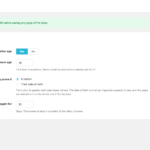


The notice that does not wipe you off Google
A badly built age notice is one of the quickest ways to sink a shop in the search results. If the module replaces the page with the question, or sends the visitor to another address, what Google indexes is the question: every one of your product pages becomes the same page.
Here the notice is a layer that sits on top. The content of the page is served in full, as always, and stays in the HTML. The only thing that changes is that the visitor sees the question before they can browse.
Search engines are not asked their age
Google, Bing, Yandex, Applebot and the link previews of WhatsApp, Facebook, X or Telegram come in without seeing the notice.
That has two concrete effects: your product pages carry on being indexed with their content, and when somebody shares a link to your shop on WhatsApp it shows the product picture instead of an empty box.
Only where it is needed
If your shop sells all sorts of things and only a few categories are restricted, asking on the home page costs you sales on the rest of the catalogue.
You can tick only the categories that need it. Ticking one covers the ones under it and any product inside them, so you do not have to go through them one by one.
A button, or the date of birth
The button is one click and loses fewer visitors. The date of birth is what an inspector expects to see, because it makes clear the question was really asked.
In that mode the years are worked out by the server, not by the browser. The answer cannot be changed from the console, or by sending the reply by hand.
What this is, and what it is not
This is the legal age notice, properly built. It is not an identity check: if somebody decides to lie about the date, they get in, exactly as happens with every age notice in the world, the big brands included.
It is said plainly here so that nobody buys expecting something else. If what you need is document or biometric verification, that is a different product and costs four times as much.
By country
The legal age is not the same everywhere, and there are markets where nothing needs to be asked.
You can choose which countries get the question. The country comes from PrestaShop: the geolocation one if you have it enabled, and the shop default country if you do not. The module does not geolocate on its own and sends data nowhere.
It remembers who already answered
Asking the same thing on every page is the best way to make a visitor leave. The answer is kept in a cookie of their browser for as many days as you decide, from one to three hundred and sixty-five.
Because it is their cookie, it is forgotten if they clear it or come in from another device, which is exactly what should happen.
Your words, in every language
The module comes with the texts already written and translated into Spanish, English and French, so it works the moment you install it.
If you would rather say it your way — naming the rules that apply to you, for instance — you can write the heading, the explanation and the goodbye message in each language of your shop. Boxes you leave empty use the module translated text.
No dependencies, no maintenance
It creates no database tables, needs no scheduled tasks and talks to no API.
That means it does not break when an external service changes or goes down, and uninstalling it leaves nothing behind.
Requisitos técnicos
| PrestaShop | 1.7, 8.x and 9.x |
| PHP | 7.1 or higher |
| Theme | Any: the notice sits on top, it does not touch the theme |
| External services | None |
| Database | Creates no tables |
| PrestaShop | 1.7-9.x |
| Minimum Version | 1.7.0 |
| Maximum Version | 9.0.3 |
| PHP Required | 7.1+ |
Quick Info
- Version
- 1.0.0
- PrestaShop
- 1.7-9.x
- PHP
- 7.1+
- Last update
- October 20, 2026
- License
- 1 domain
- Support
- 3 months
- Languages
- es, en, fr
Categories
Need Help?
Our technical team is available to help you with installation and configuration.
Contact Support →Related Modules

An internal whistleblowing channel inside your PrestaShop: anonymous reports with a code and password, a two-way mailbox, content encrypted on your own server, deadline traffic lights, a report register and deletion rules. One-time payment, no outside services.

Adds a captcha to your contact, registration, login, password and newsletter forms. It checks on the server, so it works with any theme, and if the provider goes down it lets customers through instead of blocking your shop.

Need to comply with GDPR and Google Consent Mode in PrestaShop? CookieBoost adds a modern cookie banner, automatic script blocking and advanced consent management to improve privacy and legal compliance.
