


Delivery Date Picker for PrestaShop
PrestaShop module that lets customers choose their delivery date during checkout. Configure blocked days, public holidays and minimum lead times from the backoffice. The date appears in the confirmation email, order detail and administration panel. Compatible with PS 1.7.x, 8.x and 9.x.
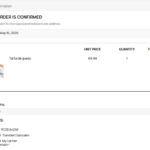
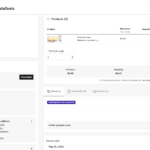
Complete date selection flow without complications
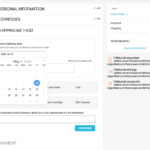
The customer reaches the carrier step in the checkout and sees an interactive calendar where they can choose their exact delivery date. Unavailable days are disabled and shown in grey: Sundays, public holidays, days with insufficient lead time or dates manually blocked by the administrator.
Once a date is selected it is saved automatically. It appears in the confirmation email, on the order confirmation page and in the order detail both from the customer account and the backoffice.
Complete administration panel
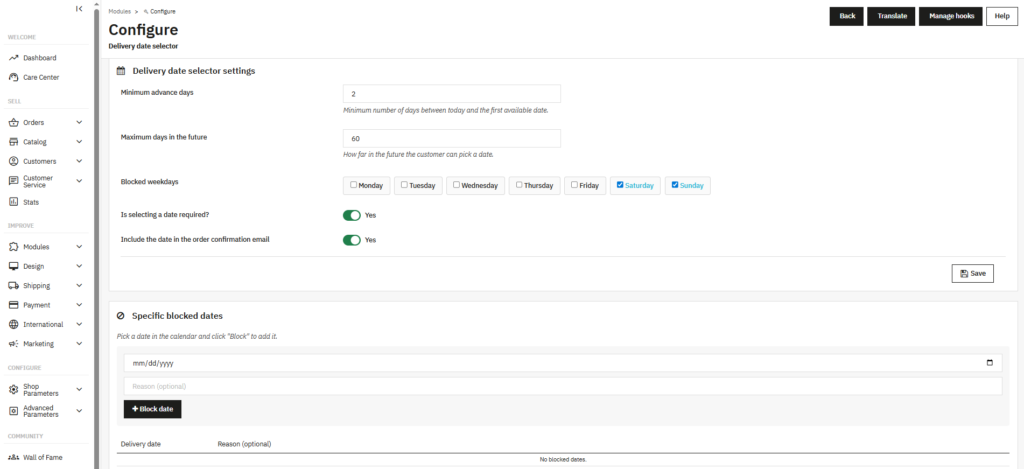
Configure the module in seconds from Modules → Delivery Date Picker. Set the minimum advance days (for example, do not allow next-day deliveries if you need 2 days to prepare the order), the maximum days in the future and the weekdays on which you do not deliver.
You can also block specific dates (national holidays, vacations, one-off closures) from a calendar integrated directly in the configuration page, with an optional reason field for internal use.
Delivery date included in the confirmation email
The date chosen by the customer is automatically added to the standard PrestaShop order confirmation email, with no need to modify or override existing email templates.
Works with any email template already configured in the store and respects the customer's language: the date is formatted in Spanish, English, French or German as appropriate.
One-click installation, no technical setup
Upload the ZIP from Modules → Module Manager → Upload a module and PrestaShop handles the rest. The module automatically creates the necessary database tables.
No additional configuration required to get started. Compatible with any database prefix and with MultiShop installations.
Lightweight and compatible with any theme
The calendar (Flatpickr) is bundled inside the module itself, with no calls to external CDNs. Works without an internet connection and does not depend on third-party resources.
Compatible with Classic, Hummingbird and third-party templates. The picker adapts visually to each store's style without touching any theme or PrestaShop core files.
| PrestaShop | 1.7-9.x |
| Minimum Version | 1.7.0 |
| Maximum Version | 9.0.3 |
Quick Info
- PrestaShop
- 1.7-9.x
- Last update
- May 8, 2026
- License
- 1 domain
- Support
- 3 meses
- Languages
- es, en, fr, de
Categories
Need Help?
Our technical team is available to help you with installation and configuration.
Contact Support →Related Modules
Add automatic visual labels to your PrestaShop products: New, Low Stock, Best Seller, Sale and Out of Stock. You can also create manual labels with custom colors and text. Displayed on the product page and in category listings. Compatible with PS 1.7, 8.x and 9.x.
Want to better understand your PrestaShop store performance and sales? AnalyticsBoost adds visual dashboards, advanced metrics and conversion funnels to help you make better business decisions.

Want to improve your PrestaShop SEO and rank higher on Google? SEOBoost automates metadata, schema, redirects and technical SEO optimization to increase traffic and visibility.
