


Minimum Order by Category for PrestaShop
Set minimum order amounts by product category in your PrestaShop. Customers see in real time how much they need to add to reach the minimum and cannot complete the purchase until they do. Ideal for distributors and wholesalers. Compatible with PS 1.7.x, 8.x and 9.x.
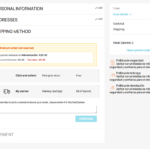
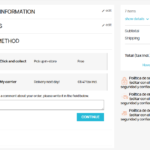
Different minimums for each product family
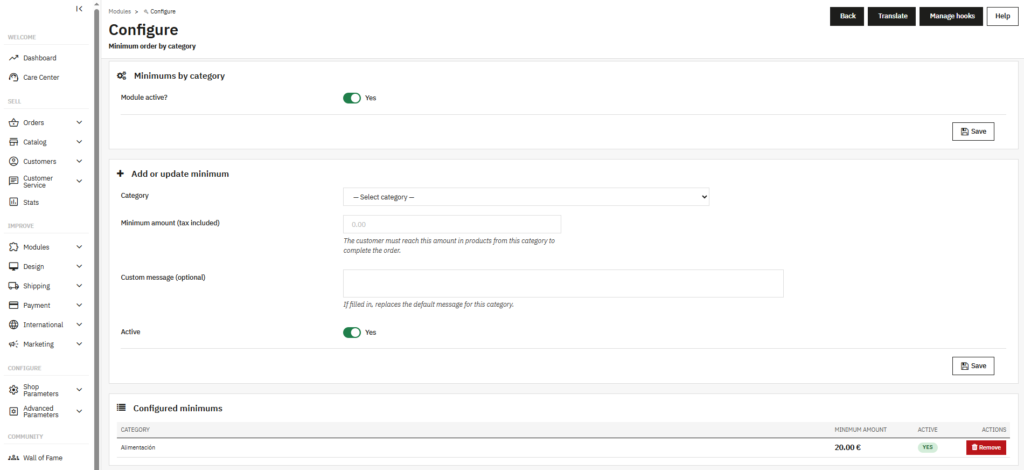
Not all categories have the same costs or the same margins. A distributor might need a minimum of €150 in machinery, €50 in spare parts and no minimum at all in consumables. Minimum Order by Category lets you configure exactly that: a different amount for each category, managed from a single panel in the backoffice.
Categories without a configured minimum continue to work normally. Only the ones you define apply the restriction.
The customer always knows how much they need to add
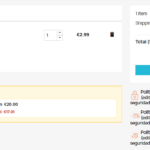
When the cart contains products from a category with a configured minimum, the module displays a clear notice showing the remaining amount needed to reach it. The notice appears both in the cart and in the checkout, updated in real time as the customer adds or removes products.
The checkout button remains locked until the minimum for all affected categories is met. No surprises at payment, no confusing error messages.
Specifically designed for distribution and wholesale
Distributors and wholesalers selling through PrestaShop need to control the profitability of each order by product family. An order of 3 units of a high-logistics-cost product may not be profitable even if the total cart value is high.
With this module you can set the rules your business needs: minimum per main category, per subfamily or any combination of categories in your catalogue.
One-click installation, no technical setup
Upload the ZIP from Modules → Module Manager → Upload a module and PrestaShop handles the rest. The module automatically creates the necessary database tables.
Compatible with any database prefix and with MultiShop installations. No need to modify any theme or PrestaShop core files.
| PrestaShop | 1.7-9.x |
| Minimum Version | 1.7.0 |
| Maximum Version | 9.0.3 |
Quick Info
- PrestaShop
- 1.7-9.x
- Last update
- May 11, 2026
- License
- 1 domain
- Support
- 3 meses
- Languages
- es, en, fr, de
Categories
Need Help?
Our technical team is available to help you with installation and configuration.
Contact Support →Related Modules
Add automatic visual labels to your PrestaShop products: New, Low Stock, Best Seller, Sale and Out of Stock. You can also create manual labels with custom colors and text. Displayed on the product page and in category listings. Compatible with PS 1.7, 8.x and 9.x.
Want to better understand your PrestaShop store performance and sales? AnalyticsBoost adds visual dashboards, advanced metrics and conversion funnels to help you make better business decisions.

Want to improve your PrestaShop SEO and rank higher on Google? SEOBoost automates metadata, schema, redirects and technical SEO optimization to increase traffic and visibility.
