ES
ES  EN
EN  FR
FR How to Increase Conversions in PrestaShop Using Social Proof
You have traffic. You have products. You have competitive prices.
But sales are not coming in the way they should.
This is one of the most common problems in PrestaShop stores with some history behind them: the customer arrives, browses, and leaves. Without buying. Without any obvious reason.
In many cases, the issue is not the product or the price. It is the perception of the store. A store that looks empty, with no visible activity, with no signals that other people are buying, creates doubt. And doubt kills conversions.
Social proof is one of the most effective tools for solving exactly this problem. In this article we explain what it is, why it works and how to implement it practically in your PrestaShop store.
What is social proof in ecommerce
Social proof is a psychological principle describing how people tend to base their decisions on what others do or think. In the context of ecommerce, it translates into displaying visible signals of activity, trust and popularity to positively influence the purchase decision.
The concept was popularised by psychologist Robert Cialdini in his book Influence, and has since become one of the cornerstones of purchase experience design in online stores of all kinds.
In practice, social proof in ecommerce can take many forms:
- Reviews and ratings from real customers
- Recent sales notifications
- Counters showing how many people are viewing a product
- Low-stock alerts
- Number of units sold
- Testimonials and success stories
Each of these elements communicates the same idea to the visitor: other people have already made this decision before you, and it went well.
Why social proof increases conversions
Social proof is not a marketing trick. It is a response to a real need of the buyer: to reduce uncertainty before making a decision.
When a customer arrives at an online store they do not know, their brain performs a quick risk assessment. Is this store trustworthy? Is this product worth it? Will I regret buying it?
Social proof answers those questions implicitly and visually, without the customer needing to read anything in depth.
Trust
Seeing that other people have purchased from the same store removes the barrier of the unknown. If there is real activity, the store is real. If there are customers, there is a business behind it.
Social validation
When we see that other people choose a product, we unconsciously interpret it as a signal of quality. We do not need to have tried it ourselves: the opinion of the group acts as validation.
FOMO and urgency
Fear Of Missing Out is one of the most powerful purchase motivators. Knowing that other people are viewing the same product right now, or that stock is running low, triggers an impulse to act that would otherwise not exist.
Types of social proof that work best in PrestaShop
Not all social proof elements have the same impact. These are the ones that deliver the best results in PrestaShop stores:
Recent sales notifications
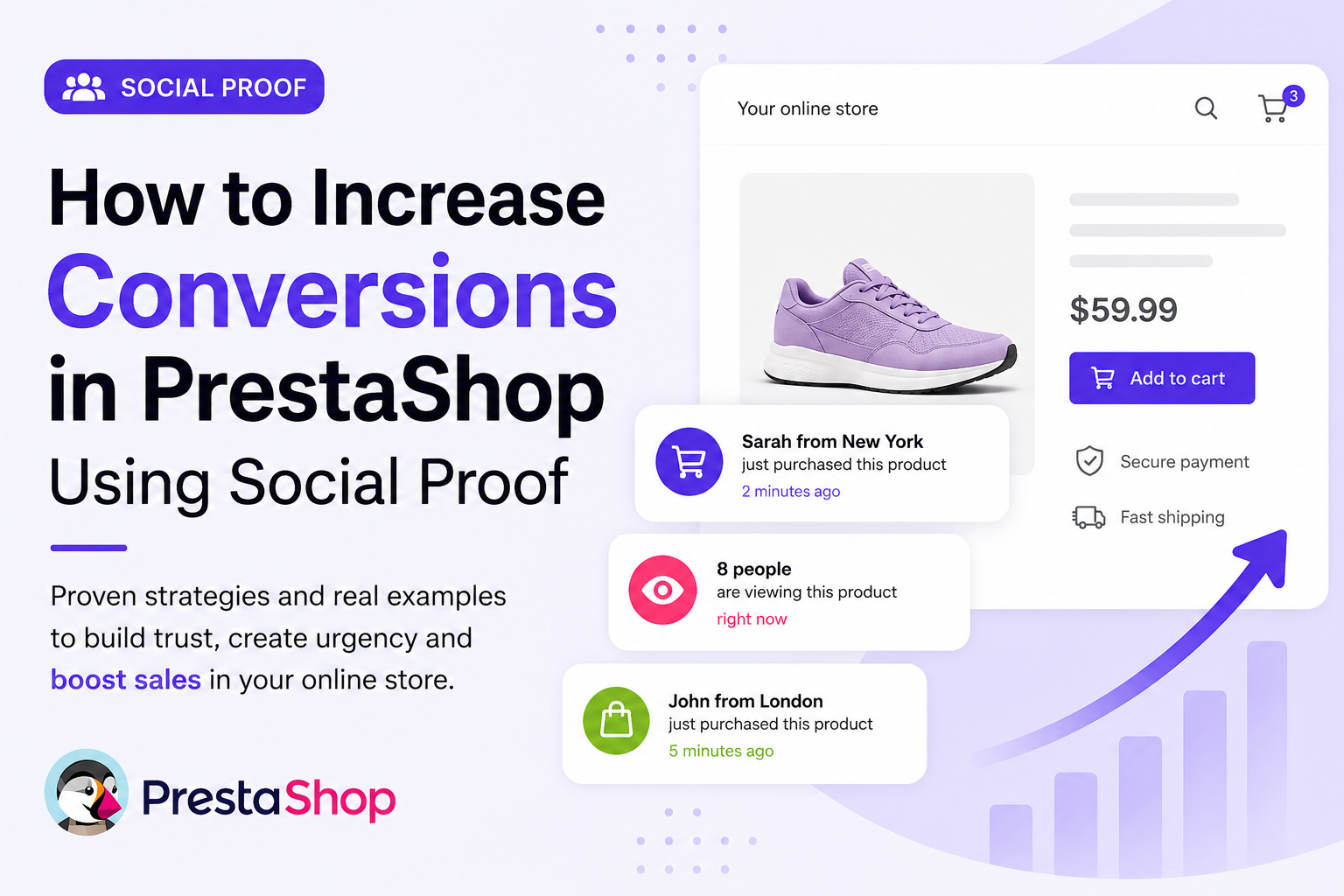
These are small popups that appear in the corner of the screen showing recent purchases in the store. The customer sees something like:
This type of notification works on several levels: it builds trust, demonstrates real activity and creates a social context in which the customer sees themselves reflected.
Users viewing the product counter
Showing how many people are viewing a product at that moment is one of the most direct ways to create urgency without resorting to artificial discounts. A message like “12 people are viewing this product right now” completely changes the customer’s perception of the product’s demand.
It is particularly effective for fashion, technology or any category where perceived scarcity carries value.
Low-stock alerts
Warning that only a few units are left is one of the oldest and most effective urgency levers in commerce. In PrestaShop, displaying a message like “Only 3 units left” alongside a progress bar that visualises remaining stock turns scarcity into a visual element the customer cannot ignore.
Real-time activity
Beyond recorded sales, showing general store activity — cart additions, visited products, recent orders — conveys a sense of dynamism that static stores cannot generate.
An active store builds more trust than a silent one, even if the products are exactly the same.
A PrestaShop store combining recent sales notifications + visitor counter + low-stock alert can give the customer the feeling of being in an active and trustworthy shopping environment, without needing to change prices or launch promotions.
Common mistakes when using social proof
Exaggerating the data
Showing “347 people viewing this product” on a small store triggers immediate distrust. The numbers need to be believable. Social proof works because it feels real; the moment the customer perceives it as fake, the effect reverses.
Saturating the screen
A sales popup every 10 seconds, a visitor counter, a stock alert and a discount banner all at the same time do not multiply impact — they cancel it out. Social proof should be integrated naturally, not imposed.
Ignoring the product context
Not all products benefit equally from social proof. For high-consideration products (high price, slow decision), reviews and testimonials carry more weight than real-time activity notifications. It is important to choose the right type of social proof for each category.
Not controlling frequency
If a customer closes a popup and it reappears on the next page, it creates frustration. A good implementation respects user preferences: if they close the notification, it should not reappear for a reasonable period of time.
How to implement social proof in PrestaShop
PrestaShop does not include real-time social proof features natively. The built-in ratings module allows product reviews, but does not cover activity notifications, visitor counters or stock alerts with configurable logic.
To implement a complete social proof strategy in PrestaShop you essentially have two options:
- Custom development — requires knowledge of PrestaShop hooks, JavaScript for the frontend and backend logic to record and serve the data. Viable but time-consuming.
- Dedicated module — quick installation, configuration from the administration panel and no need to touch code.
SalesBoost: social proof ready to install in PrestaShop
If you are looking for a ready-to-go solution, SalesBoost is a module developed specifically to implement social proof in PrestaShop 1.7, 8.x and 9.x stores.
It lets you configure from the administration panel:
- Recent sales notifications — popups with the name, city, product and image of the customer who just purchased, using real orders from your store or configurable dynamic data
- Live visitor counter — shows how many people are viewing each product in real time, with configurable realistic fluctuation
- Low-stock alerts — visual notice with a progress bar when stock falls below the threshold you set, with a differentiated urgent mode
- Fully customisable messages — text, colours, position, frequency and behaviour configurable without touching code
- Real or simulated activity — use real orders from your store or generate dynamic activity when real data is insufficient
The module is designed to have no impact on performance: it loads asynchronously, has no external dependencies and is compatible with LiteSpeed, Varnish and PrestaShop’s native cache.
SalesBoost — Social proof for PrestaShop
Recent sales notifications, live visitor counter and low stock alerts. No code required. Compatible with PS 1.7, 8.x and 9.x.
View SalesBoost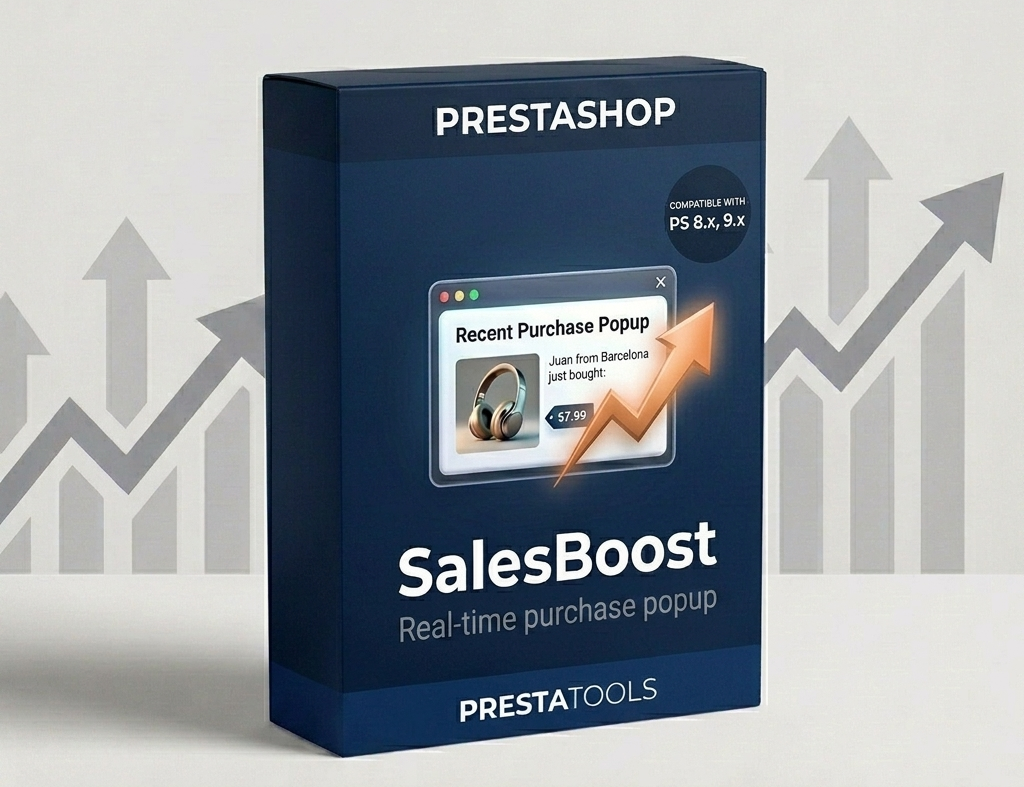
Frequently asked questions
Does social proof work for any type of PrestaShop store?
Generally yes, although the impact varies by sector and product type. Stores selling frequently purchased products, fashion, accessories and technology tend to see the best results. In sectors with longer buying cycles and higher-priced products, reviews and testimonials usually carry more weight than real-time activity notifications.
Is using simulated data a bad practice?
It depends on how it is used. In stores with few daily sales, showing fully real-time activity can create the opposite impression to the one desired (a store with no sales). Using configurable dynamic data with realistic names and cities, without fabricating specific orders, is a common and accepted practice. What would be problematic is attributing specific purchases to real customers without their consent, or fabricating reviews.
Do the popups affect store performance?
With a correct implementation, the impact is minimal. A well-built module loads data asynchronously (without blocking page rendering) and uses lightweight JavaScript with no external dependencies. The key is to verify that the module you use does not load heavy libraries or make synchronous server requests.
How long does it take to see results?
Changes in conversion rate can start to be measured within days if traffic volume is sufficient. For stores with less traffic, it may be necessary to wait 2–4 weeks to have statistically relevant data. It is advisable to measure the impact by comparing similar periods before and after implementation.
Can I combine social proof with other conversion strategies?
Yes, and it is highly recommended. Social proof works particularly well combined with an optimised cart page, a frictionless checkout and well-crafted product pages. Each element resolves a different customer doubt; together, they form a coherent and trustworthy shopping experience.
Conclusion
Social proof in PrestaShop is not a cosmetic addition. It is a direct response to one of the most common problems in ecommerce: the lack of visible trust that causes interested customers to leave without buying.
Showing that other people are buying, that there is real demand for the products and that the store has constant activity changes the visitor’s perception without needing to cut prices or launch aggressive promotions.
The key is to do it well: with credible data, with an implementation that does not overwhelm the customer and with the right elements for each product type and store.
If you have a PrestaShop store with traffic but a conversion rate below what it should be, social proof is probably one of the first elements you should add. The results are measurable, implementation is immediate and the cost is significantly lower than any traffic acquisition campaign.
¿Buscas módulos PrestaShop que no fallen cuando tu tienda crece?
En PrestaTools desarrollamos módulos pensados para entornos reales. Código limpio, sin impacto en velocidad y soporte técnico directo.
Ver catálogo de módulos →