ES
ES  EN
EN  FR
FR How to Comply with the GDPR in PrestaShop

GDPR in PrestaShop: why you can’t ignore it
If you sell online to customers in the European Union, your PrestaShop store must comply with the General Data Protection Regulation (GDPR). It’s not optional, it doesn’t only affect large companies and the penalties for non-compliance are very real.
The problem is that many PrestaShop stores believe GDPR compliance means simply adding a privacy policy page and a generic cookie notice. The reality is considerably more complex: it involves controlling what data you collect, how you process it, what third-party scripts run on your store and what rights your customers have over their personal information.
In this guide we’ll walk through step by step everything you need to do to make your PrestaShop store truly GDPR compliant — not just apparently compliant.
⚠️ What’s at stake
Fines up to 4% of annual global turnover.
Google Ads blocked without Consent Mode v2 since 2024.
Loss of trust if customers perceive you don’t protect their data.
What is the GDPR and who does it affect
The General Data Protection Regulation (GDPR) is the European regulation governing how businesses collect, store, process and delete the personal data of EU citizens. It has been in force since May 2018 and applies to any business that processes data of EU residents, regardless of where the company is located.
If your PrestaShop store sells to customers in Spain, France, Germany, Italy or any other EU country, you are required to comply. This includes not only the data you collect directly (name, email, address) but also data collected by third-party scripts running on your store: Google Analytics, Facebook Pixel, remarketing tools, chat widgets and any other service that uses cookies.
Most common GDPR mistakes in PrestaShop stores
These are the failures we find most frequently in compliance audits:
How to comply with GDPR in PrestaShop step by step
Let’s walk through each GDPR requirement that affects an online store and how to implement it concretely in PrestaShop.
Implement a cookie banner with real script blocking
This is the most critical point and the one most stores get wrong. The GDPR requires that no non-essential scripts (analytics, marketing, social media) are executed until the user has given explicit consent. Simply showing an informational notice is not enough — scripts must be genuinely blocked.
The banner must offer the user the option to accept or reject each cookie category granularly (functional, analytical, marketing), include a link to the cookie policy and allow preferences to be changed at any time.
Additionally, since March 2024, Google requires stores using Google Ads in the EU to implement Google Consent Mode v2, a standard that communicates consent status to Google services so campaigns work correctly.
Guarantee customer data rights
The GDPR grants EU citizens a series of rights over their personal data that your store must be able to handle. The most relevant for an ecommerce are:
🔍 Right of access
The customer can request a copy of all personal data you hold about them.
✏️ Right to rectification
The customer can correct inaccurate data. PrestaShop allows this from “My Account”.
🗑️ Right to erasure
The customer can request their data be deleted. PrestaShop 1.7+ includes this option in the back office.
📤 Right to portability
The customer can request their data in a readable format to take to another service.
PrestaShop 1.7, 8.x and 9.x include a native GDPR module that allows managing access and erasure requests from the back office. Make sure it’s installed and activated.
Google Consent Mode v2: what it is and why it’s mandatory
Google Consent Mode v2 is a technical standard that communicates to Google services (Analytics, Ads, Tag Manager) whether the user has consented to each type of cookie. Since March 2024, Google requires it for all advertisers operating in the EU.
Without Consent Mode v2, your Google Ads campaigns can lose conversion data, remarketing audiences stop working properly and Google may limit the delivery of your ads to EU users.
❌ Without Consent Mode v2
Google Ads loses conversion data in the EU. Remarketing audiences degrade. Google may block ad delivery to European users.
✅ With Consent Mode v2
Google Ads receives correct consent signals. Conversions are attributed properly. Campaigns function normally in the EU.
Manually implementing Consent Mode v2 requires modifying the Google Analytics and Google Ads tracking code to read the consent status from the cookie banner and send the correct signals. It’s technical and error-prone.
PrestaShop Module
Comply with GDPR and Consent Mode v2 automatically
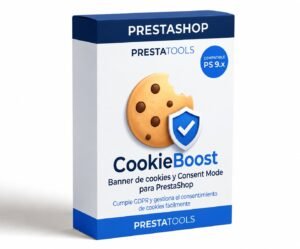
CookieBoost adds a modern cookie banner with automatic script blocking, granular categories and full Google Consent Mode v2 compatibility. No paid external services, no code changes, configurable from the PrestaShop back office.
GDPR compliance checklist for PrestaShop
Use this list to verify your store meets all requirements. Each ticked item is one less risk point:
Frequently asked questions about GDPR in PrestaShop
Conclusion
GDPR compliance in PrestaShop is not a bureaucratic formality solved with a privacy policy page. It’s a set of technical and organisational measures affecting forms, cookies, third-party scripts, customer rights and the security of stored data.
The most critical point — and the one most stores get wrong — is the cookie banner. A banner that doesn’t block scripts before consent doesn’t comply with the regulation, exposes the store to penalties and, since 2024, can directly affect the performance of Google Ads campaigns.
The good news is that most of these requirements can be resolved with configuration and the right modules, without custom development or costly external services.
PrestaShop Module
Make your store GDPR compliant today
CookieBoost manages cookie consent with real script blocking, granular categories and integrated Google Consent Mode v2. Compatible with PrestaShop 1.7, 8.x and 9.x, without paid external services.
¿Buscas módulos PrestaShop que no fallen cuando tu tienda crece?
En PrestaTools desarrollamos módulos pensados para entornos reales. Código limpio, sin impacto en velocidad y soporte técnico directo.
Ver catálogo de módulos →