ES
ES  EN
EN  FR
FR How to Improve SEO for a PrestaShop Store in 2026

SEO in PrestaShop: Why Many Stores Don’t Get the Traffic They Deserve
Having a great product catalog doesn’t guarantee visibility on Google. Many PrestaShop stores have carefully crafted product pages, competitive prices, and an attractive design, yet they barely receive any organic traffic.
The problem is almost never the visible content. It’s what happens underneath: incomplete metadata, indexing errors, broken URLs, lack of structured data, and a technical SEO structure that no one has reviewed since the store was installed.
In this article, we will review the most common SEO issues in PrestaShop, how to solve them practically, and which tools can help you automate most of the work.
3 Things Google Needs from Your PrestaShop Store
Understand what you sell: products, categories, and the relationships between them.
Access and correctly index every relevant URL in your catalog.
Find structured data (schema) to help display rich snippets.
Why PrestaShop SEO Is Different from a Conventional Website
An online store is not a corporate website with 10 static pages. PrestaShop generates hundreds or thousands of dynamic URLs: products, categories, combinations, layered navigation filters, paginations, CMS pages, and multi-language variants.
Each of those URLs needs unique metadata, a coherent indexing structure, and clear signals for search engines. Without this, Google encounters duplicate content, orphan pages, and inefficient crawling that penalizes the overall positioning of the site.
Furthermore, PrestaShop generates generic metadata by default that is rarely optimized for real user searches. Meta titles are usually just the product name, without including the category, brand, or commercial terms that buyers actually look for.
Most Common SEO Problems in PrestaShop Stores
After auditing dozens of PrestaShop stores, these are the issues that appear most frequently:
Duplicate or Generic Meta Titles
Many products share the same title pattern. Google spreads authority among pages competing with each other.
Empty Meta Descriptions
Google extracts a random snippet from the page, which is rarely the most attractive one for the user.
Images without ALT Attributes
Product images are a significant source of traffic from Google Images that gets completely lost.
Poorly Optimized Categories
Category pages often have more SEO potential than individual product pages, but they lack content.
404 Errors without Redirection
Every link pointing to a deleted URL loses its SEO value. Without 301 redirects, that authority vanishes.
Missing Schema and Structured Data
Rich snippets (stars, price, stock) depend on schema data that PrestaShop does not include by default.
Indexing Issues
Indexed filters and paginations compete with important pages. Relevant pages get left out of the index.
Outdated Sitemap
Discontinued products and broken URLs in the sitemap send confusing signals to search engines.
How to Improve the Technical SEO of Your PrestaShop Store
Let’s look at each area of improvement with concrete actions you can apply today.
Optimize Product and Category Metadata
The meta title is the most important on-page factor for ranking. A good meta title for a product should include the product name, the category or type, and a relevant commercial term.
The meta description should complement the title with a clear value proposition. The problem is that doing this manually for hundreds of products is unfeasible. That’s why metadata templates exist, automatically generating titles and descriptions by combining variables like product name, category, brand, and price.
Add Schema and Structured Data
Google uses structured data to understand a page’s content and display rich snippets in search results. For a PrestaShop store, the most important schemas are:
Implementing these schemas correctly can significantly increase your CTR in Google results because rich snippets occupy more visual space and convey more trust.
Review Indexing and Canonical Tags
Not every page in your store should be indexed. Filter pages, internal search results, and deep paginations usually generate duplicate content that dilutes the authority of important pages.
Use noindex tags on pages that don’t add SEO value and canonical tags on those with variants. Make sure each product has a canonical tag pointing to its main URL, especially if the product appears in multiple categories.
Create a Clean and Optimized XML Sitemap
The sitemap tells Google which pages are important. A well-configured sitemap should only include indexable URLs (active products, categories with content, relevant CMS pages) and exclude those with noindex or canonical tags pointing elsewhere.
Manage 301 Redirects
Every time you delete a product, change a URL, or reorganize categories, you need to create a 301 redirect from the old URL to the new one. This preserves accumulated SEO authority and prevents users from landing on error pages.
Optimize Images and ALT Attributes
Images should have an optimized file size (ideally under 200KB), use WebP format when possible, and include a descriptive ALT attribute that features the product name and a relevant term.
Improve Load Speed and Core Web Vitals
Loading speed is a ranking factor confirmed by Google. Compress images, enable server caching, minify CSS and JavaScript, and use a CDN if your store serves international traffic.
On-Page SEO for Products and Categories in PrestaShop
Technical SEO lays the foundation, but the content on each individual page is what truly drives rankings.
Optimized Product Pages
Each product page must have a unique and descriptive title, an original description that isn’t a copy-paste from the supplier, images with ALT attributes, and if possible, a specific product FAQ section.
FAQs not only help the user but also allow you to implement FAQPage schema, which can generate highly visible rich snippets in Google search results.
Categories with Distinct Content
Category pages have the highest ranking potential for generic terms like “women’s running shoes” or “extra virgin olive oil.” Add a description of at least 150-200 words explaining what products the category contains and why they are relevant.
Strategic Internal Linking
Link related products to each other, connect product pages to their parent categories, and create blog content that links back to specific categories and products. Internal linking distributes SEO authority and helps Google discover all the pages on your site.
Advanced Technical SEO for PrestaShop Ecommerce
If your store manages a large catalog, there are additional technical aspects that can make a huge difference.
Without Optimization vs With Optimized SEO: The Difference Is Clear
How SEOBoost Can Help with PrestaShop SEO
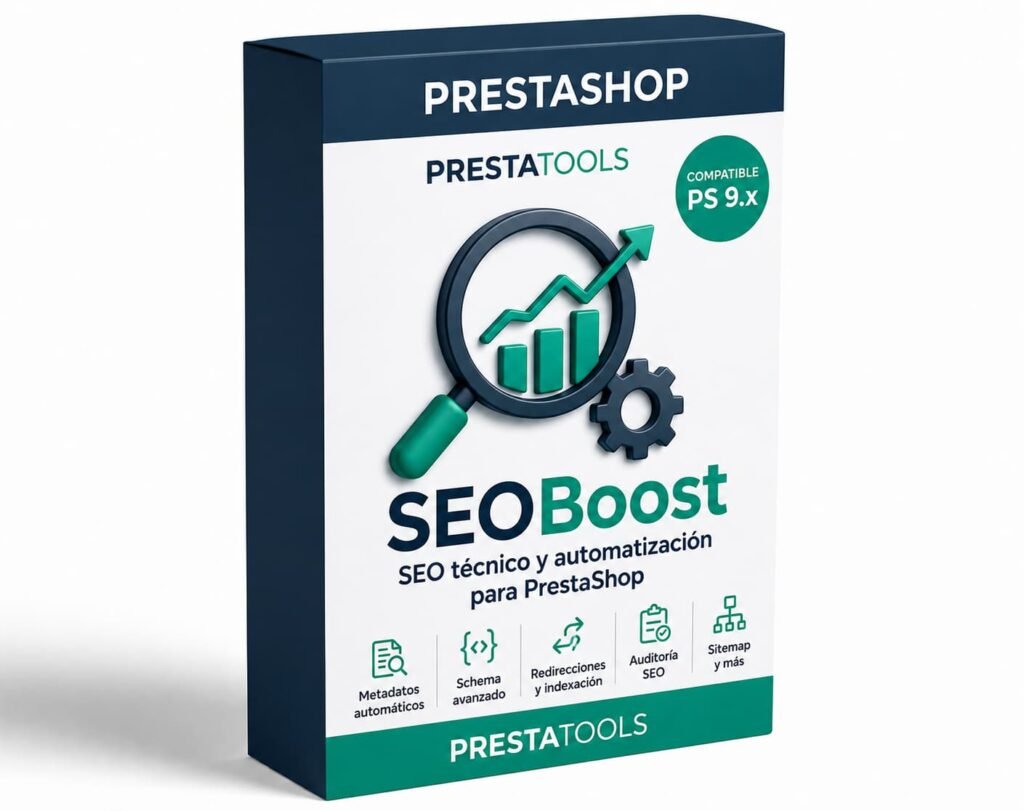
Applying all these enhancements manually to a store with hundreds of products is an enormous amount of work. SEOBoost is a PrestaShop module that automates the most repetitive technical SEO tasks and provides full visibility over your store’s real SEO health status.
📝 Metadata Templates
Generate meta titles and descriptions automatically using product, category, brand, and price variables.
⭐ Automatic Schema
Deploy Product, BreadcrumbList, Organization, and FAQPage schemas without editing code.
🔍 SEO Audit
Analyze your entire store and detect empty metadata, missing ALT text, missing canonical tags, and issues.
🔀 301 Redirects
Visual management dashboard to create redirects alongside an automatic 404 error detection system.
🗂️ Indexing Control
Decide what gets indexed, what takes a noindex tag, and configure canonical options bulk-wide.
🗺️ Optimized Sitemap
Generate clean XML sitemaps containing exclusively URLs that genuinely should be crawled and indexed.
Everything is managed from a single panel right inside the PrestaShop backoffice, without any need to touch core files or integrate external tools.
Frequently Asked Questions About PrestaShop SEO
Conclusion
Optimizing PrestaShop SEO isn’t about an isolated modification; it’s the combination of well-crafted metadata, precise structured data markups, clean index tracking, robust redirect patterns, and high-quality contents that secures sustainable organic positioning over time.
Technical gaps are typically the easiest parameters to correct and often yield the quickest noticeable performance gains. A refined meta title layout, solid schema tracking structures, or an asset-linked 301 pattern can lift search positioning trends in a matter of weeks.
The key takeaway is to avoid putting it off. Every day your platform processes empty metadata parameters, unmanaged 404 logs, or structural pages missing key schema properties is a day you pass qualified organic opportunities to competing networks who have these parameters resolved.
¿Buscas módulos PrestaShop que no fallen cuando tu tienda crece?
En PrestaTools desarrollamos módulos pensados para entornos reales. Código limpio, sin impacto en velocidad y soporte técnico directo.
Ver catálogo de módulos →